

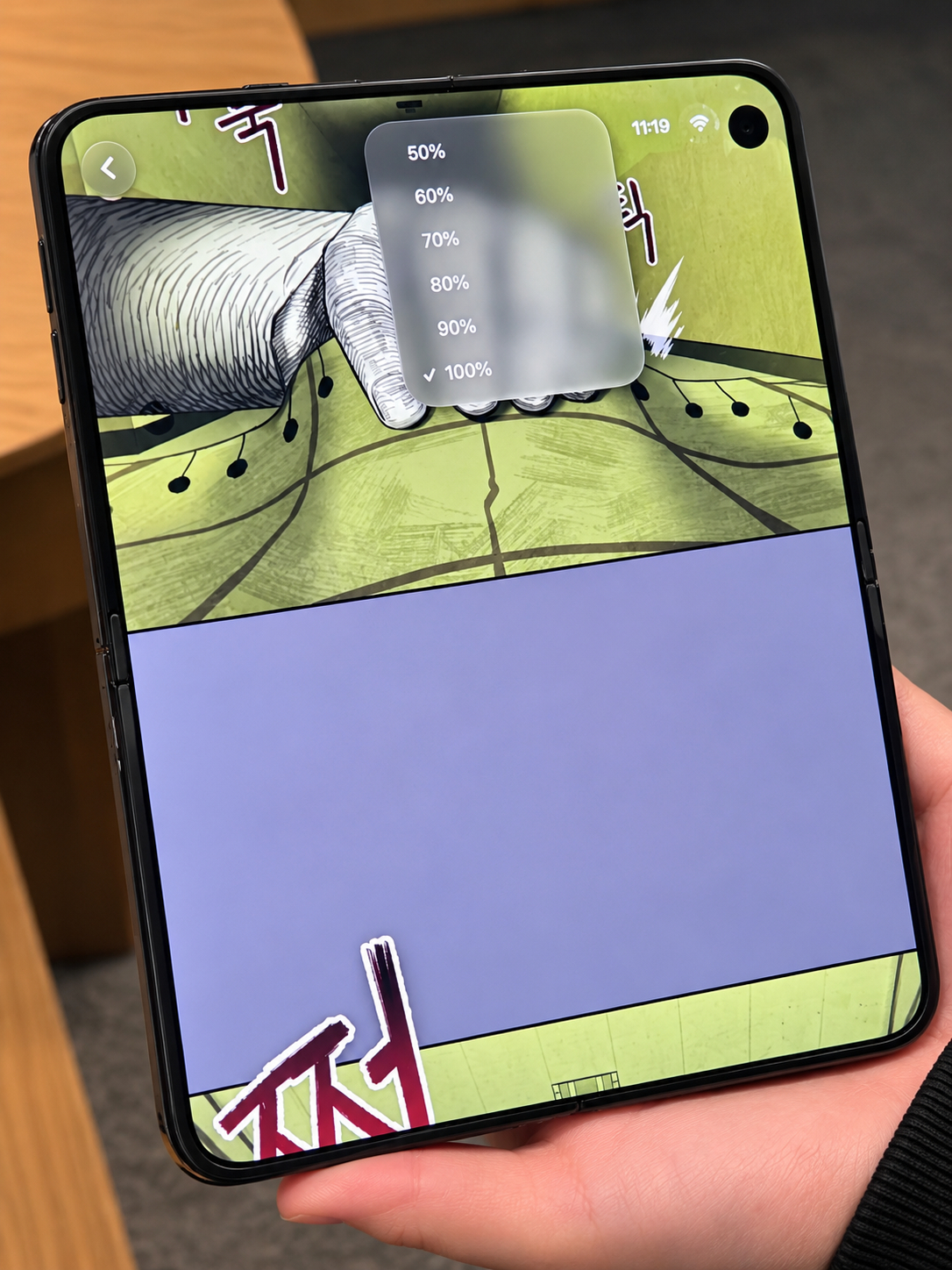
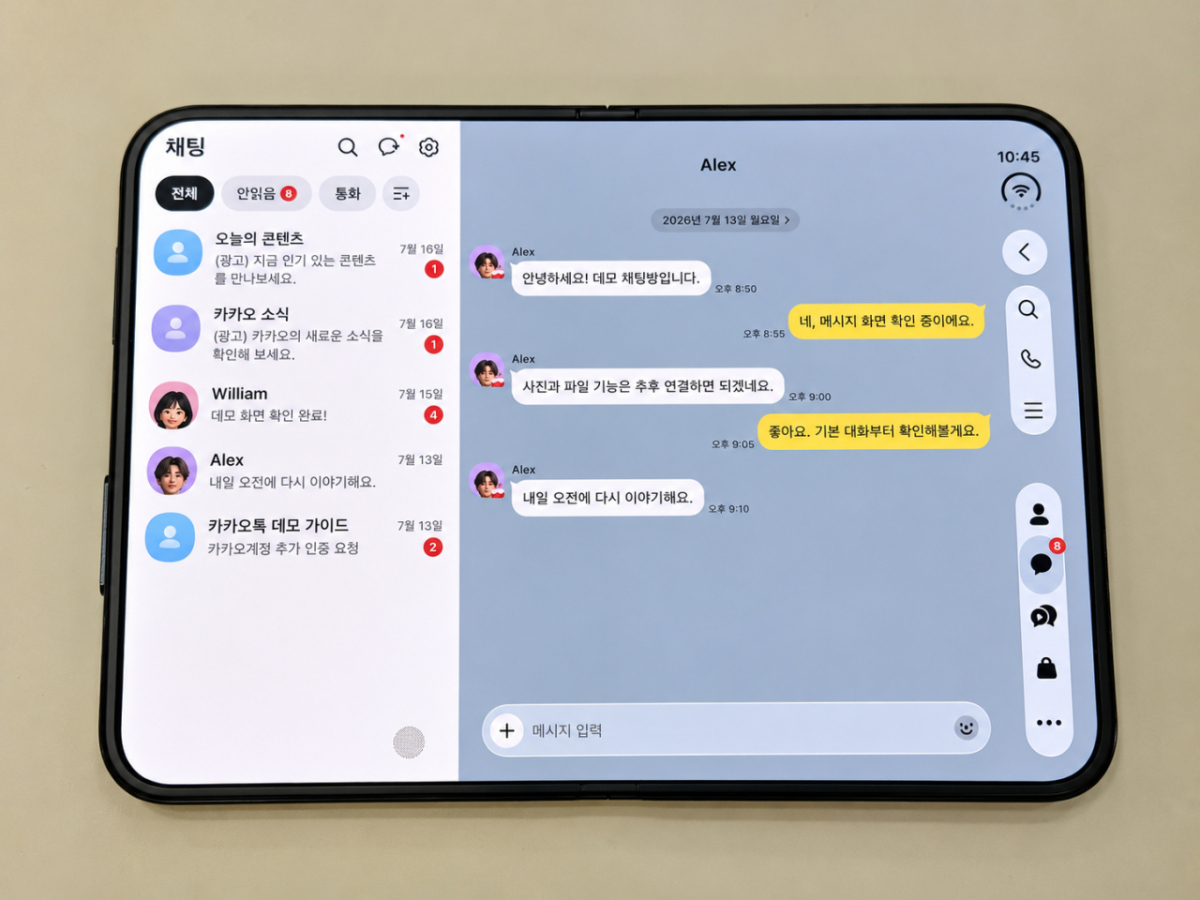
On Apple's first foldable phone, the iPhone Duo, users can adjust the display width of webtoons between 50 and 100 percent. The feature, newly introduced by Naver Webtoon, debuted on the iPhone Duo. When the phone is unfolded, KakaoTalk displays the chat list and conversation window side by side.
On Tuesday, MoneyToday tested major Korean apps, including Naver Webtoon and KakaoTalk, on the iPhone Duo, which is set to launch on Oct. 23. When the device is partially folded, some apps can split the screen horizontally to display different content in the upper and lower sections. Samsung Electronics' Galaxy Z Flip series offers a similar feature, but the Galaxy Z Fold8 does not support the same screen layout, marking a difference between the devices.
The most notable feature was Naver Webtoon's "original artwork display ratio" setting. Users can enlarge a webtoon to view it on the unfolded screen and then reduce its size if it feels too large. "Thrillers can feel more immersive on a large screen, but some users may find them too frightening," a Naver Webtoon official said. "Viewing preferences vary depending on the work and the user, so we introduced the option to adjust the display size."
Features developed for the iPhone Duo are also applied to existing iPhones and iPads. A Naver Webtoon official said, "While adapting for the iPhone Duo, we discovered points that were inconvenient on existing devices," adding, "We added landscape mode to the iPad and applied the screen ratio adjustment feature to existing devices as well." The webtoon viewing menu was also moved from the bottom of the screen to the side to reduce the area obscuring the work.
When the iPhone Duo is unfolded, the chat list appears on the left and the conversation room on the right in KakaoTalk. Users can also drag photos from the Photos app to send them to a conversation room. When folded halfway, photos/videos and control buttons are separated into top and bottom sections. A Kakao official said, "We paid attention to aligning with the release schedule so that users could use an optimized KakaoTalk immediately after purchase." The timing of integration with Siri AI was not disclosed.
When Naver Band is unfolded, the schedule list and detailed content can be checked side by side. The post list and detail screen are displayed simultaneously, and a feature to drag photos to attach them to posts is also supported.
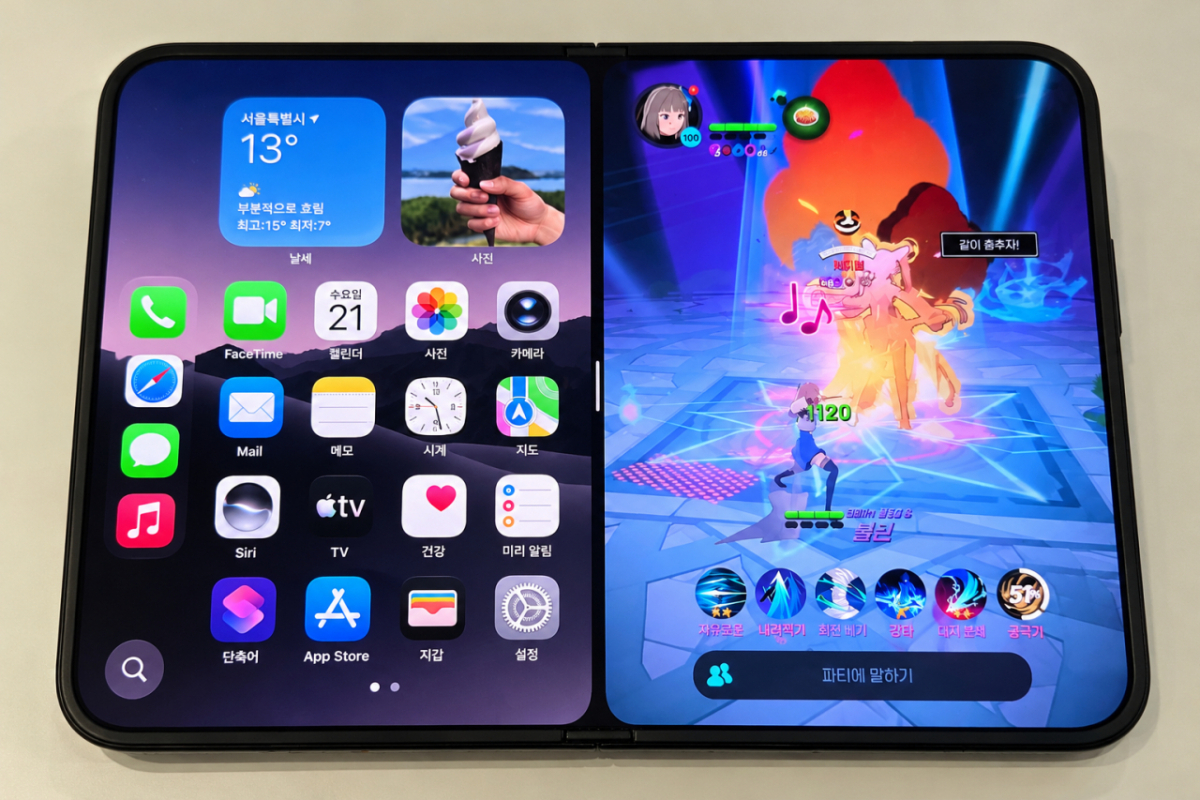
Games also make use of the wide screen. Nexon's "Mabinogi Mobile" continues to run whether the device is folded or unfolded. A DevCat official stated, "Currently, we have optimized it primarily for combat," adding, "We will support life and gathering activities as well in the near future." 111 Percent's "Yoonpal Jon Mangam" displays a list of materials required for hero summoning next to the combat screen.
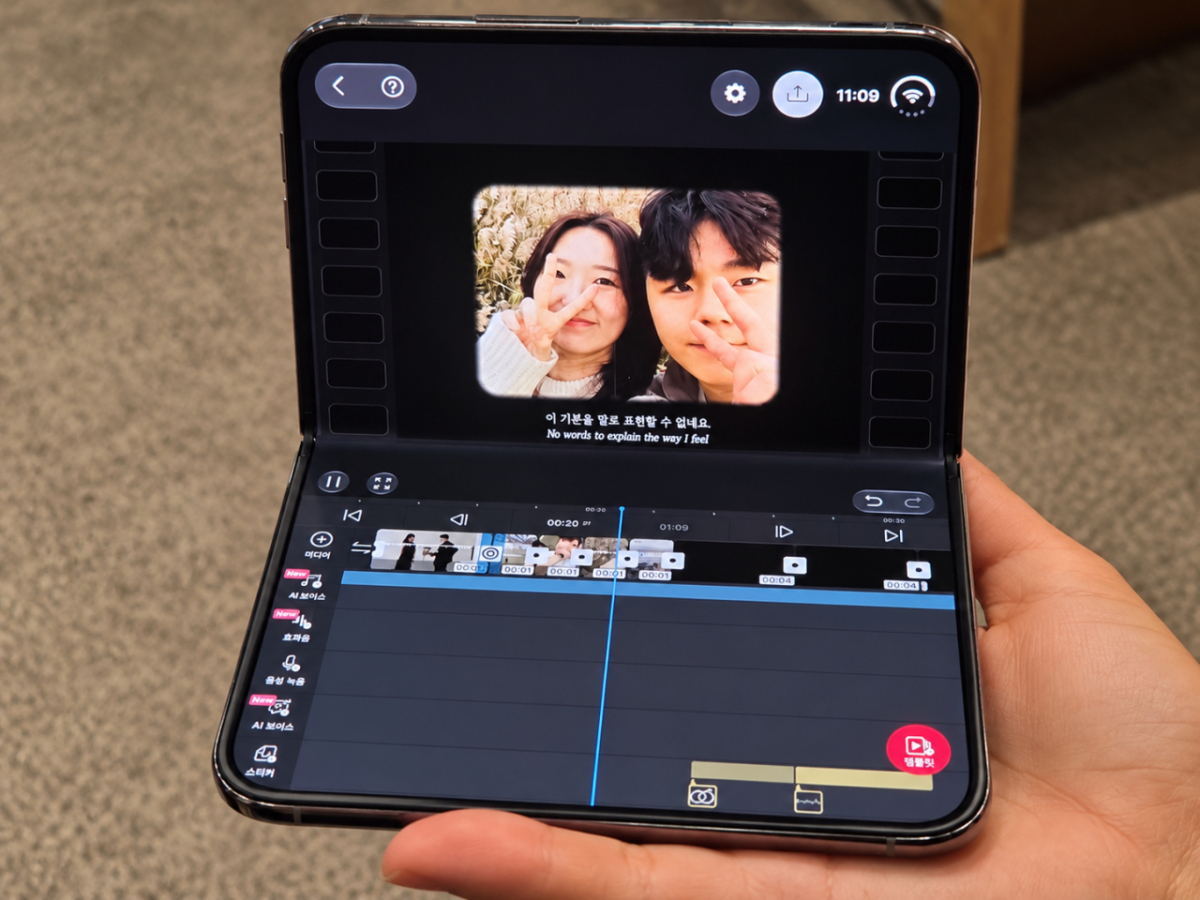
The video editing app "VLLO (Bullo)" arranges the video preview and editing tools side by side, allowing users to adjust the size of each area. A Bullo official explained, "We improved it so that users can adjust the screen composition according to their desired ratio, rather than conforming to a fixed UI."
In addition to major domestic apps improving features for the Duo, no unique features of the Duo that differentiate it from existing foldable phones were observed. Screen splitting and screen transitions based on folding/unfolding actions are already provided in other foldable phones. How much the iPhone Duo's user experience can be expanded remains a future task.

 in TECH


